Debugging failures
When an agent finds something wrong in your application, Semaloop already contains all the necessary context to help suggest a fix. If you want to investigate manually, you can click through the trace, and also watch the playback video to see exactly what happened.
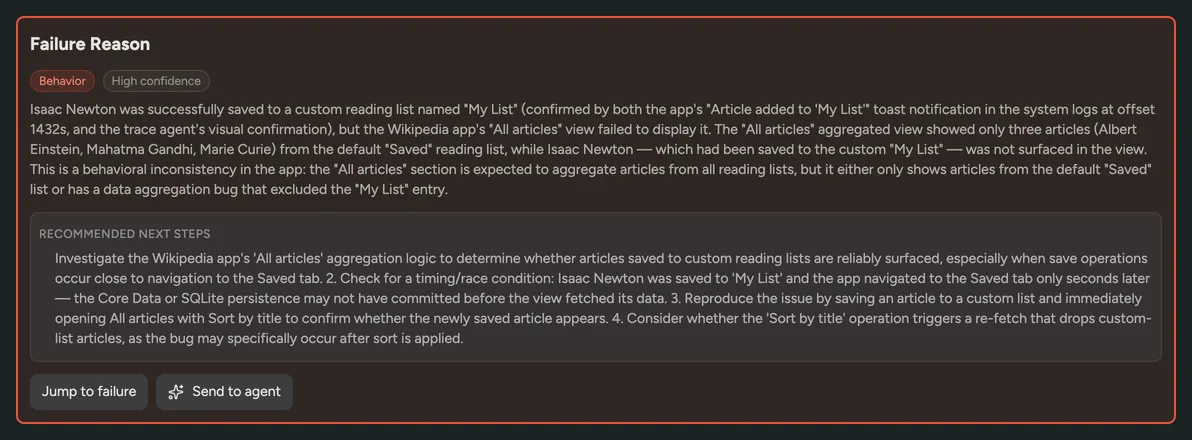
Within the Semaloop dashboard, we also provide a failure reason (root cause analysis), that also suggests a fix. This is because our agent also has access to the system logs and network logs, which allows us to better understand where things went wrong.
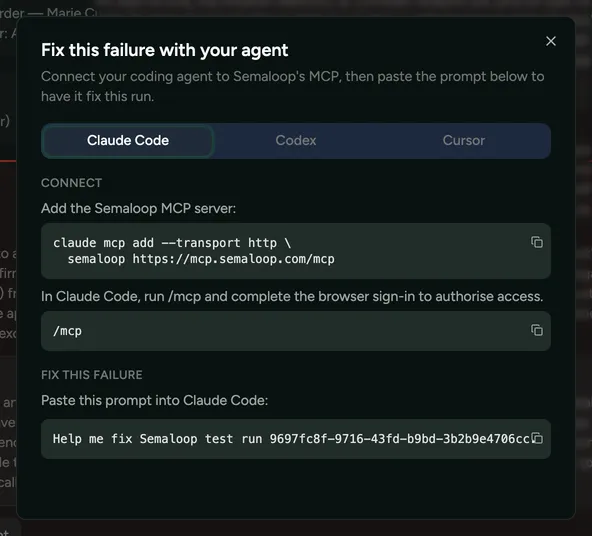
Additionally, our MCP server can be used to ingest all of the relevant context into a coding agent, which can then be used to resolve the bug. You simply need to grab the test run ID, which can be found in the Send to agent popup. For example: “Help me fix Semaloop test run 028ef19d-7e3a-4517-920f-edeac215a082” could yields a simple code fix as a coding agent has all context available to it.