

MCP server
Configuration and capabilities
Section titled “Configuration and capabilities”Our MCP server allows you to interact with Semaloop directly from your coding agent. This means that you no longer need to log in to the Semaloop dashboard to manage any aspect of your account, as it’s all possible with MCP.
To get started, go to Settings → MCP.
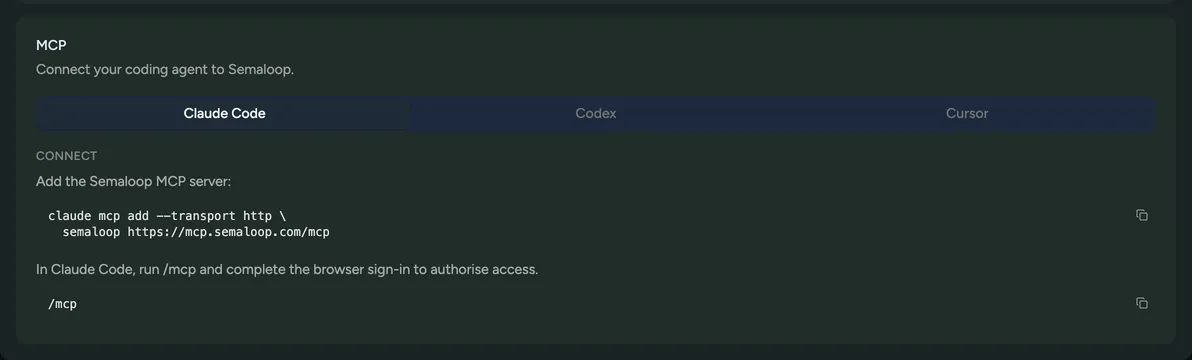
To get the latest list of what’s possible, just ask Semaloop MCP: “What tools are available in the Semaloop MCP server”:
- Discover your apps, builds, and tests: See what exists before acting on it.
- Create and update tests: Turn a natural language description of a user journey into a test, and revise it as the app changes.
- Trigger runs and access their context: Kick off a run and pull everything needed to diagnose it, including root-cause analysis, video recording, network logs, and system logs.
- Track recurring issues: See issues that show up repeatedly across runs, not just one-off failures.
- Create and update secrets: Manage the credentials and values a run needs to sign in or fill in forms.
- Create and update custom tools: Define HTTP calls the run agent can use for things outside the UI, like seeding data or resetting an account.
- Send feedback: Flag anything the agent needed to do but couldn’t.
Example use cases
Section titled “Example use cases”Here are a couple of recommendations on how you can leverage our MCP server:
- Generating tests from a PR description. Point your agent at an open PR and ask it to check whether Semaloop already covers the change. It can list your existing tests, compare them against the PR description, and if the flow isn’t covered, write a new test directly from that description. This means that your coverage grows with the codebase, with no one having to remember to open the dashboard.
- Fixing failures on the spot. When a run fails, ask your agent to pull the run, video, network logs, and system logs, then work out whether the app broke or the test itself was brittle. It can push a code fix, or update the test spec, all within the same session. See the debugging failures documentation.
- Pushing recurring issues into your issue tracker. Rather than reacting to every issue individually, ask your agent to pull the issues for your app and combine them with other details that you have in your organisation, like meeting notes, support tickets, and other customer context.